
AARP Now
AARPLifestyle
4.87.75K Reviews
- Version
- 4.10.0
- Installs
- 5.00M
- Age Rating
- Everyone 10+
Screenshots
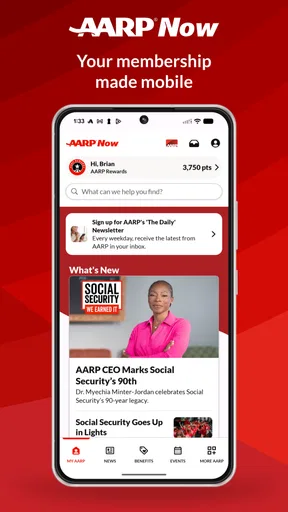
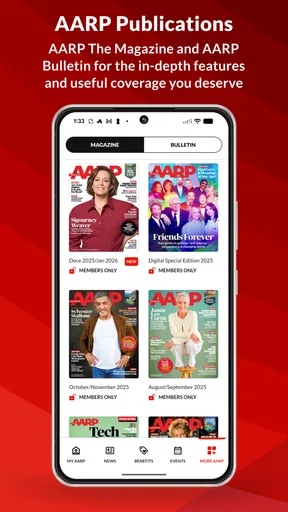
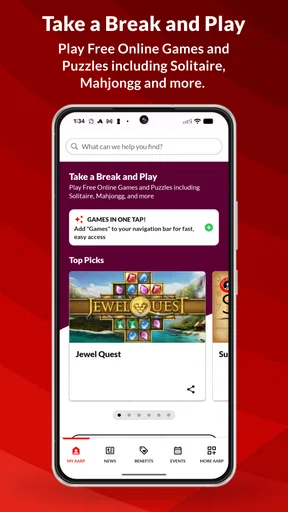
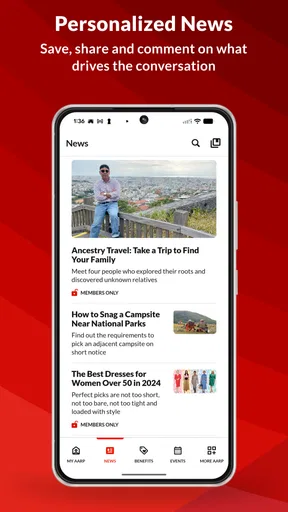
Our Review of AARP Now
 Analysis by Appyee
My overall take is that AARP Now is most useful when you want several parts of your AARP life gathered in one place: reading, finding events, keeping membership details close, and looking for savings. I wouldn’t treat it as a replacement for every news, calendar, or shopping app on my phone. Its appeal is the connection between those jobs. If you already use AARP, that convenience can make it a practical everyday companion; if you don’t, much of its value may feel less relevant.
What makes the all-in-one approach useful
The app comes from AARP and sits in the lifestyle category, but in practice it feels like a mix of a reading feed, a local activity finder, and a membership tool. That combination matters most when I’m moving from one small task to another. I might read an article, notice an event worth checking, then pull up my digital card without having to remember which separate service handles each thing.
That doesn’t mean every section will matter equally to every person. The strongest reason to keep it installed is having an AARP-related task to do regularly, whether that means checking member savings or keeping up with selected news. If you only want broad headlines, a dedicated news app will usually offer a wider range of publishers and more control over topics. If you only want to organize appointments, your phone’s calendar is likely the simpler choice.
A useful routine, not another app to check constantly
I’d use AARP Now in short visits rather than expect it to become a place I browse for long stretches. A realistic routine might be checking the news over breakfast, glancing at upcoming activities before making weekend plans, and opening the deals section only when a purchase is already on the horizon. That last point is important: a discount is helpful when it fits something you were going to buy, but it isn’t a saving if it nudges you into spending unnecessarily.
For example, before planning a trip, I’d look for a relevant offer while comparing hotels I would consider anyway. I’d read the terms and compare the final price with the options available elsewhere rather than assume that a member deal is automatically the best deal. The app can make offers easier to discover, but a quick comparison remains worthwhile, especially when dates, location, or booking conditions affect the total.
Small habits that make the app easier to use
My practical tip is to decide what you want from the app before opening it. If you’re looking for an event, go straight to that task instead of browsing every section; if you’re checking a deal, start with the purchase or outing you already have in mind. This keeps the app useful without turning it into another endless feed. I’d also review notification choices after using it for a while: alerts that seemed useful at first can become noise if your interests change.
When an event catches your eye, I’d check the details and timing before building plans around it. A calendar can surface possibilities, but it still takes a moment to confirm that an activity suits your schedule and whether it is in person or virtual. That small pause helps avoid the common mistake of bookmarking something and then discovering later that it doesn’t fit the day.
Who will get the most from it
I’d recommend it first to current AARP members who want quick access to their digital card and enjoy having member-oriented news, activities, and offers nearby. It can also suit someone who is helping a family member keep track of membership-related tasks, provided that person is comfortable managing the account appropriately. The point is not that everyone needs another app; it’s that the app can reduce the number of separate places to check for these particular needs.
On the other hand, I’d skip it if you have no interest in AARP content or membership benefits, or if you prefer choosing every news source yourself. It is not the right fit for someone seeking a general-purpose local events directory, a comprehensive travel comparison tool, or a dedicated personal finance service. Those specialized alternatives can go deeper in their own areas, while AARP Now trades that depth for a more joined-up experience.
How it fits alongside other options
Compared with a standard news reader, AARP Now is more focused on material intended for the AARP audience, which can make the selection feel more relevant but narrower. Compared with separate event listings and deal-finding services, its advantage is convenience rather than guaranteed breadth. I’d keep using a specialist service when I need extensive filters or a broad market comparison; I’d open AARP Now when the AARP connection itself is the reason I’m looking.
That distinction also answers a practical question: do you need to be a member to get value from it? The app is centered on AARP, so membership-related tools and member savings are naturally most useful to members. A nonmember may still find articles or events worth exploring, but should judge the experience by those sections rather than assume every benefit will apply to them.
Worth trying, with sensible expectations
AARP Now is free to download and is rated for Everyone. It has a 4.7 average from around 62,000 ratings, with more than 5 million installs, which suggests that many people have found a reason to use it. The current version is 4.6.0, and the app has been available since April 29, 2011. It can also include in-app purchases, with listed items ranging from $20 to $79, so I’d check the details of any purchase before confirming it rather than treating every part of the experience as cost-free.
Compatibility is another simple thing to check before installing: the listed minimum operating-system requirement is version 9. If your device meets that requirement, the main decision is less about technical complexity and more about whether you’ll use the mix of AARP-focused tools. The app is available for Android and iOS, so it can fit into a routine across either platform.
Hey there! So, I recently got my hands on the AARP Now app, and let me tell you, it's quite the handy little tool for anyone who's part of the AARP community. Whether you're looking to stay updated on news, manage your membership, or just want some cool discounts, this app seems to have it all. Let me walk you through my experience.
First Impressions
When I first downloaded the AARP Now app, I was pretty impressed with how clean and straightforward the interface looked. It’s got this user-friendly vibe that makes navigating through the different features a breeze. You don’t have to be tech-savvy to figure things out, which is a huge plus if you're like me and prefer apps that don't require a tutorial before use.
Features Galore
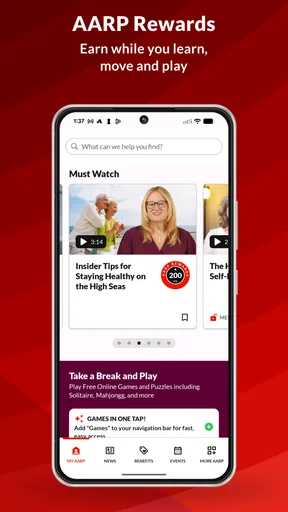
One of the standout features for me is the news section. AARP curates a selection of articles that are relevant to the 50+ community, covering everything from health and wellness to finance and travel. The articles are concise, yet informative—perfect for a quick read during your coffee break.
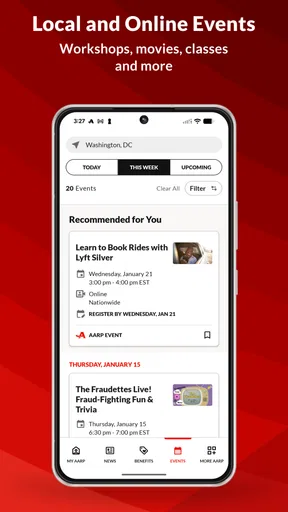
Another neat feature is the events calendar. It’s a lifesaver for anyone looking to get involved with community events or workshops. You can find events happening near you or even virtual ones you can join from the comfort of your home. I've already bookmarked a couple of webinars that caught my eye.
Managing Your Membership
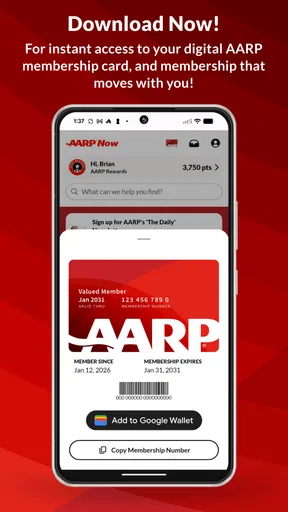
If you're an AARP member, managing your membership couldn’t be easier. The app allows you to renew your membership, update your account details, and even view your digital card. I find this particularly useful because, let’s be honest, who remembers to carry their membership card around all the time?
Discounts and Deals
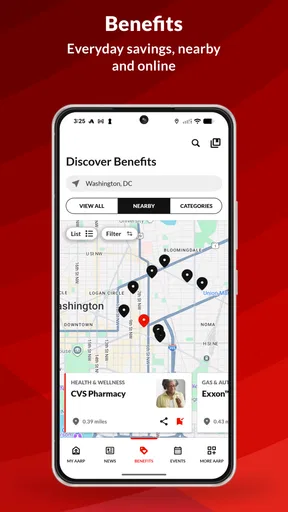
Now, let’s talk about one of my favorite parts: the discounts. The app includes a plethora of deals on everything from travel and dining to shopping and entertainment. You can search for deals based on your location or interests, making it super convenient to save a few bucks here and there. I snagged a discount on my last hotel booking, which was a nice surprise.
Notifications and Alerts
While the app does offer notifications for news updates and events, you have full control over what you want to be alerted about. This customization is great because it means you won’t be bombarded with notifications that aren’t relevant to you. I’ve set mine up to alert me about new health articles and upcoming local events, which has been quite handy.
Final Thoughts
All in all, the AARP Now app is a solid choice for anyone looking to make the most out of their AARP membership. It’s packed with features that are genuinely useful, and it makes staying connected and informed incredibly easy. Whether you’re in it for the news, events, or discounts, there’s something for everyone. Give it a try and see how it fits into your routine—you might just find it indispensable!
So, if you’re part of the AARP community, I’d definitely recommend checking out this app. It’s free to download and available on both Android and iOS, which is always a win in my book. Happy exploring!
Privacy and Permissions
See what permissions an app requests and how it handles your data.
- Contacts
- read your contacts
- Location
- approximate location (network-based), precise location (GPS and network-based)
- SMS
- read your text messages (SMS or MMS), receive text messages (SMS)
- Phone
- reroute outgoing calls, read call log, read phone status and identity
- Photos/Media/Files
- read the contents of your USB storage, modify or delete the contents of your USB storage
- Storage
- read the contents of your USB storage, modify or delete the contents of your USB storage
- Microphone
- record audio
- Wi-Fi connection information
- view Wi-Fi connections
- Device ID & call information
- read phone status and identity
- Other
- view network connections, pair with Bluetooth devices, full network access, change your audio settings, run at startup, draw over other apps, prevent device from sleeping, install shortcuts, uninstall shortcuts
Verdict
Strengths of AARP Now
- Easy-to-navigate interface for all users.
- Wide range of senior-focused content.
- Personalized news and alerts available.
- Exclusive member discounts and offers.
- Quick access to AARP resources.
Limitations of AARP Now
- Requires AARP membership for full access.
- Limited features for non-members.
- Occasional slow loading times.
- No offline reading mode available.
- Some features require location access.
Other Releases by AARP
View All
AARP SafeTrip™
Auto & Vehicles4.4
Similar Picks in This Category
View All
SmartThings
Samsung Electronics Co., Ltd.4.6

Google Home
Google LLC4.0

Pinterest4.2

Astrotalk - Talk to Astrologer
Astrology & Horoscope4.7

My Verizon
Verizon Consumer Group4.5

Samsung Wallet (Samsung Pay)
Samsung Electronics Co., Ltd.4.1
Frequently Asked Questions
What is AARP Now, and who is it for?
AARP Now is a mobile application designed for AARP members and individuals interested in staying informed about news, events, and benefits tailored for seniors. It provides access to articles, discounts, and member-exclusive events, making it ideal for those aged 50 and above who want to stay connected and informed.
What features does AARP Now offer?
AARP Now offers a variety of features including personalized news updates, event notifications, and access to member benefits such as discounts and local offers. It also provides tools for managing your AARP membership and accessing digital versions of the AARP Magazine and Bulletin. The app is designed to keep you engaged with timely and relevant information.
Is AARP Now available for both Android and iOS devices?
Yes, AARP Now is available for download on both Android and iOS devices. You can find it on the Google Play Store for Android users and the Apple App Store for iOS users. The app is designed to function smoothly on various smartphone and tablet models, ensuring accessibility for a wide range of users.
Do I need an AARP membership to use the app?
While anyone can download and explore the AARP Now app, certain features and benefits are exclusive to AARP members. Non-members can still access some news and information, but to take full advantage of the app’s offerings, including member discounts and events, a membership is recommended.
How does the app ensure user privacy and data security?
AARP Now prioritizes user privacy and data security by implementing industry-standard encryption and security protocols. The app requires minimal personal information and provides clear privacy settings so users can control their data. AARP is committed to protecting user information and follows strict guidelines to ensure a safe user experience.
